
PawsID™ INSTANT ID WITHOUT
A TRIP TO THE VET
The person who finds your dog does not need to go to the vet.
They can use any smartphone to see your contact info right away.
This makes finding your dog fast and easy.
NO SUBSCRIPTION
You pay once and get protection with no monthly fees.
NO APP
PawsID™ works with any smartphone, no matter the brand or system.
NO CHARGING
The tag has no battery and does not need charging. You don’t need to do anything to keep it working.
HOW TO CREATE PawsID™?
CREATE A WALKEDOG.APP ACCOUNT
It takes only a few minutes. This is where you manage your dog’s safety.
ADD YOUR DOG’S PROFILE
Enter important info about your dog, like name, breed, and special needs. This info will be shown if your dog is found.
LINK YOUR DOG TO THE PawsID™ TAG
Log in to your account.
Tap your phone on the tag or scan the QR code.
Choose your dog’s profile to link it.
ONE SYSTEM,
MANY BENEFITS
PawsID™ is a full system that helps you take better care of your dog.
There is no subscription. You do not need to pay every month.
The tag does not need charging because it has no battery.
You do not need any app to use it.
You can change all info online, from anywhere in the world.
The system keeps growing.
New features and updates are coming soon.
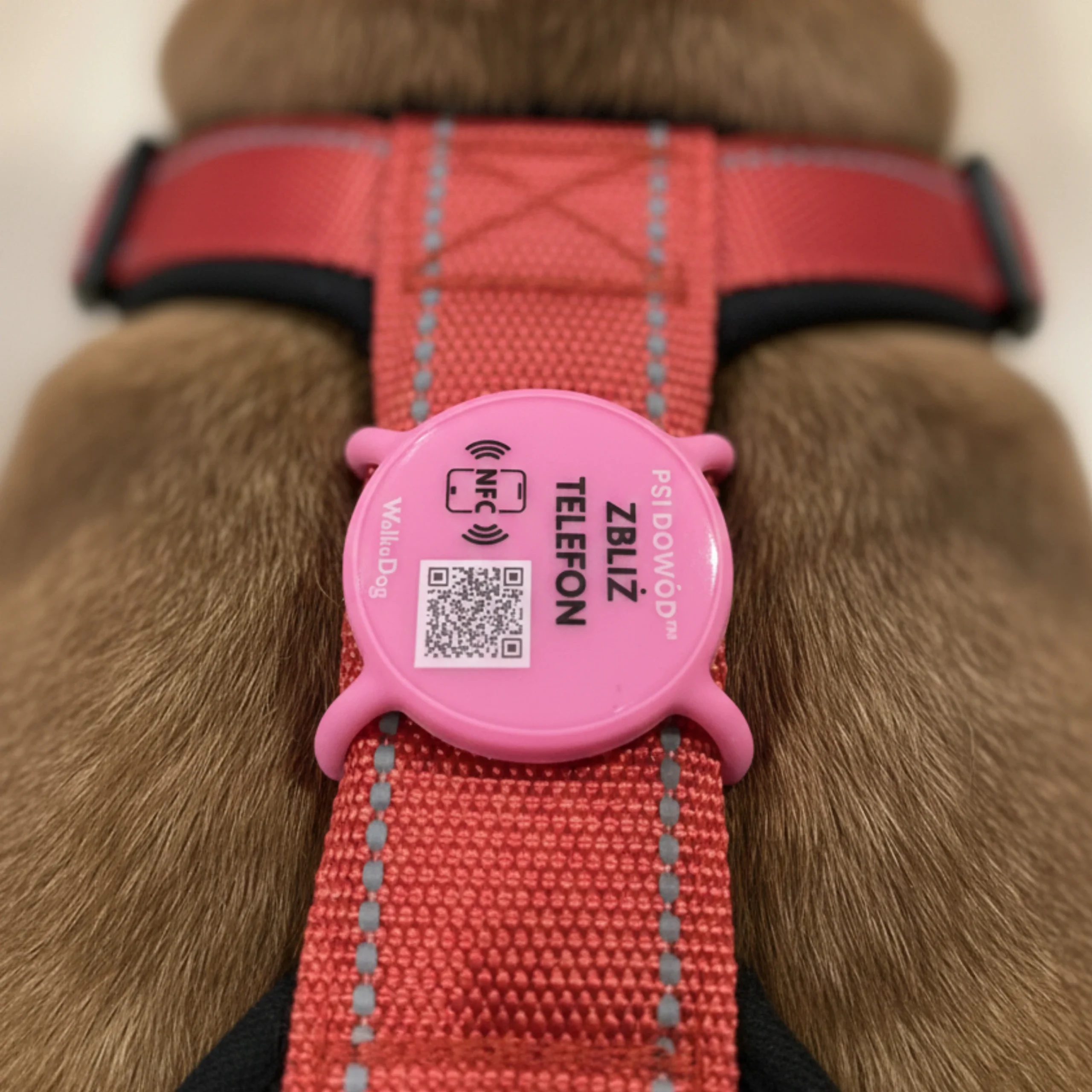
PawsID™ VS TRADITIONAL DOG TAG
Data safety
Your info is safe.
Only a finder can see it by scanning the PawsID™ tag.
Easy Data Updates
Change your phone number or reward anytime.
Do it online in seconds. No need to replace the tag.
Durable and reliable
PawsID™ works in all weather.
It does not need charging or an app to work.
More Than Basic Info
Add info about allergies, behavior, or special needs.
It can help in an emergency.
Continuous Growth and Innovation
PawsID™ is part of the growing WalkeDog system.
Regular updates bring new features and options.
Regular dog tags stay the same for years.
Comfort and Style
No hanging parts make it more comfortable for your dog. Looks good on any collar or harness.
HOW TO ADD AND LINK PawsID™?
HOW TO SCAN PawsID™?
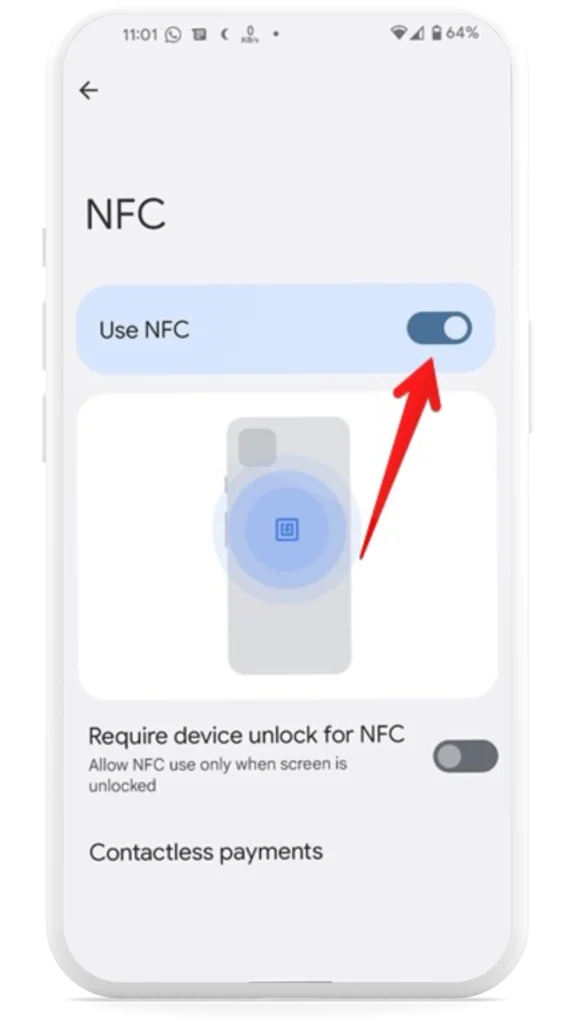
TURN ON NFC ON YOUR PHONE
Apple
On iPhones (model 7 and newer), it is enabled by default.
Adroid
1. Open the Settings app on your phone.
2. Tap Connected devices > Connection preferences > NFC.
3. Switch on “Use NFC”.
HOLD YOUR PHONE CLOSE TO THE MARKED SPOT ON THE PRODUCT
Apple and Android
Find the “TAP YOUR PHONE HERE” sign on the product’s dial and place your phone against it. Hold it for a moment until you feel a vibration or hear a signal – the phone will automatically detect the chip and display a notification. You can also use your camera to scan the QR code.
DONE!
The system will automatically redirect you to your browser, display the dog’s profile on WalkeDog.app, and show the owner’s contact information, allowing for immediate contact.
💡 HELPFUL TIPS:
If it doesn’t work the first time, try sliding your phone across the product.
Some phone cases may interfere with scanning.
If you have trouble, double-check that NFC is definitely turned on.
PawsID™ works even when the product is wet.