
Sign up in just a few minutes – this is where you’ll manage your dog’s safety.
PawsID IS INSTANT IDENTIFICATION, NO VET NEEDED
Anyone who finds your dog just needs to tap their phone against the PawsID or point their camera at it. The finder will instantly see your dog’s info and how to reach you. Plus, you can update all your details remotely!
HOW TO SET UP YOUR PawsID?
ADD DOG'S PROFILE
Add important info about your dog, like their name, breed, and special needs. This information will appear instantly when your dog is found.
LINK DOG'S PROFILE
WITH PawsID
Once your account and profile are set up, just tap your phone or scan the QR code (while logged in) and select the dog profile you want to link.
ONE SYSTEM, DOZENS OF BENEFITS
PawsID is a complete ecosystem designed to help you take better care of your dog. For using our system, we never charge any subscription fees.
The tags don’t need charging because they have no batteries, and neither you nor the finder needs any app to manage or read the data. You can edit all your information remotely from anywhere in the world.
Our system is constantly evolving, and new features and updates will soon be available for free to all PawsID users.
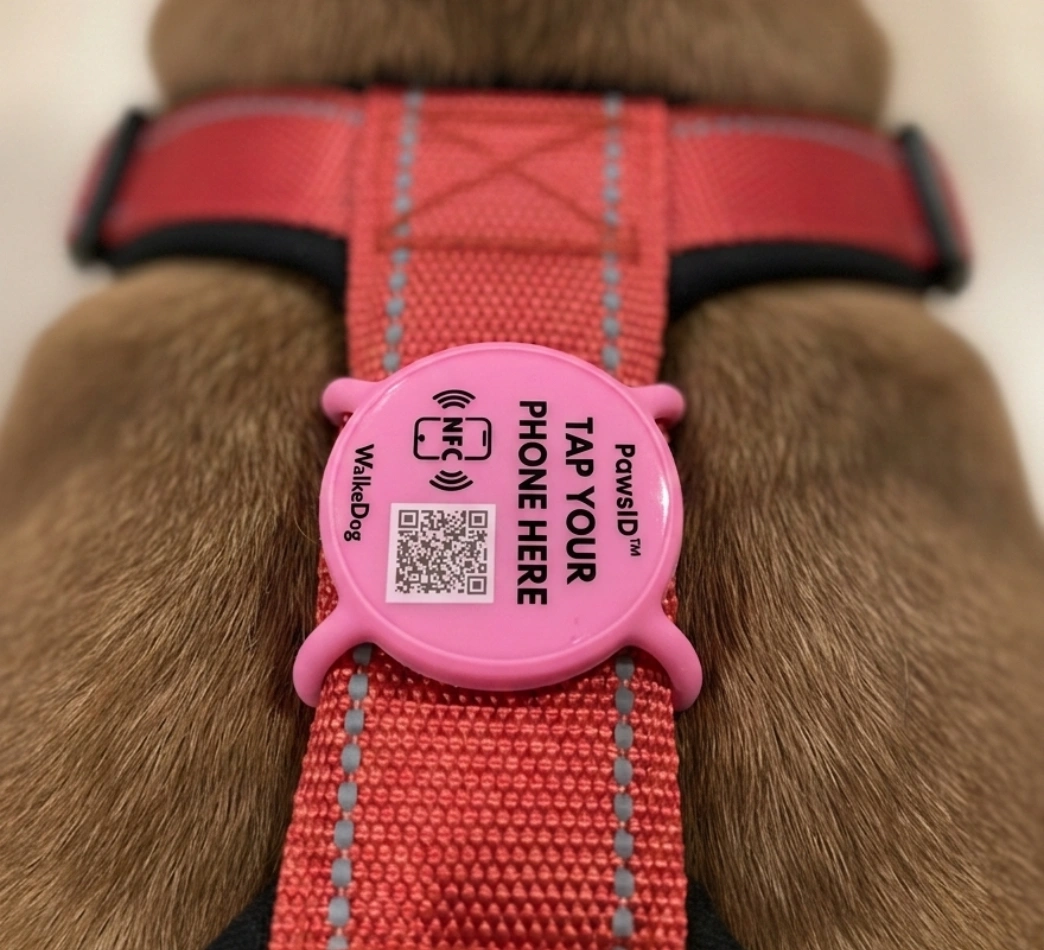
PAWSID VS TRADITIONAL TAG
HOW TO SCAN PawsID?
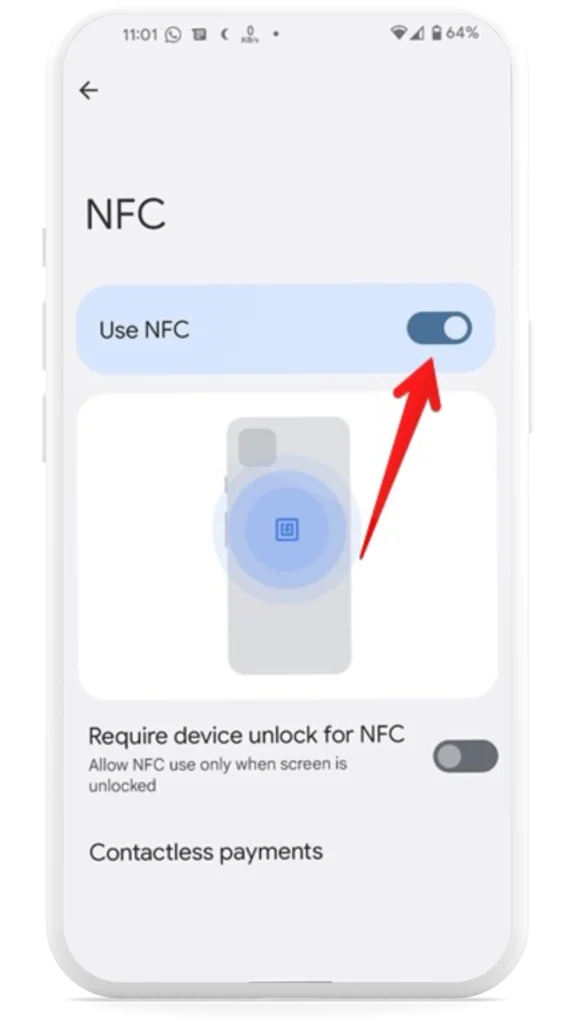
TURN ON NFC ON YOUR PHONE
Apple
On iPhones (model 7 and newer), it is enabled by default.
Adroid
1. Open the Settings app on your phone.
2. Go to Connected devices > Connection preferences > NFC.
3. Turn on “Use NFC“.
TAP YOUR PHONE
TO THE PawsID
Apple i Android
Find the “TAP PHONE HERE” area on the tag and tap your phone against it. Hold it for a moment until you feel a vibration or hear a signal – your phone will automatically detect the chip and display a notification. You can also use your camera to scan the QR code.
READY!
The system will automatically redirect you to a browser, open the dog’s profile on WalkeDog.app, and display the owner’s contact details, enabling instant communication.
💡 HELPFUL TIPS:
If it doesn’t work on the first try, gently slide your phone over the tag.
Some phone cases may interfere with the scanning process.
If you’re still having trouble, double-check that NFC is enabled on your device.
PawsID works perfectly even when wet.